Quickstart
[1]:
from simtool import Run, get_inputs, get_outputs
import numpy as np
[2]:
# specify a local simtool
#nb = 'test_simtool/test_simtool.ipynb'

# use the installed one
nb = 'test_simtool'
Setting Inputs
[3]:
# get the list of inputs for the simtool.
inputs = get_inputs(nb)
inputs
[3]:
some_text:
    desc: Text to Write in Output Image
    type: Text
    maxlen: 20
    value: Default Text

volts:
    desc: Value to Write in Output Image
    type: Number
    units: millivolt
    max: 1000
    value: 0

width:
    desc: Width of Output Image in pixels
    type: Integer
    min: 100
    max: 2000
    value: 400

height:
    desc: Height of Output Image in pixels
    type: Integer
    min: 50
    max: 1000
    value: 200

position:
    desc: Position of text in image [x, y] in pixels
    type: List
    value: [20, 20]

options:
    desc: Color and Font Size Options.
    type: Dict
    value: {'FontSize': 28, 'FontColor': 'red', 'Background': 'black'}

myarray:
    type: Array
    dim: 1
[4]:
# get the outputs, if we are curious
get_outputs(nb)
[4]:
volts:
    desc: Input 'volts' returned from SimTool
    type: Number
    units: millivolt

myarray:
    desc: The array that was input, doubled.
    type: Array

PNG:
    desc: Image as a PNG
    type: Image

JPG:
    desc: Image as a JPG
    type: Image

GIF:
    desc: Image as a GIF
    type: Image

nanohub:
    desc: Our logo!
    type: Image
[5]:
# set the input array
inputs.myarray.value = np.array([[1, 2.0, 3.14],[4,5,6]])
[6]:
# check the input volts
inputs.volts
[6]:
    desc: Value to Write in Output Image
    type: Number
    units: millivolt
    max: 1000
    value: 0
[7]:
# try setting it to something bad.  it will fail
# inputs.volts.value = '20g'
inputs.volts.value = 20
inputs.volts
[7]:
    desc: Value to Write in Output Image
    type: Number
    units: millivolt
    max: 1000
    value: 20
[8]:
# use units, if you want
inputs.volts.value = '.042 mV'
inputs.volts.value
[8]:
0.042
Running the Simtool
[9]:
# Do a single run with those inputs
# Default is to put the run in RUNS/uuid.
r = Run(nb, inputs)
CACHED. Fetching results from Data Store.
Visualizing the Outputs
[10]:
# we can see the inputs used
r.inputs.myarray.value
[10]:
[[1.0, 2.0, 3.14], [4.0, 5.0, 6.0]]
[11]:
r.inputs.volts.value
[11]:
0.042
[12]:
# output database is accessed from the Run object
db = r.db
db.read('PNG')
[12]:
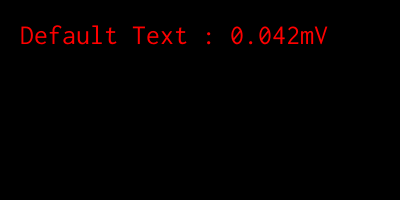
[13]:
# see raw results database
db.nb.scrap_dataframe
[13]:
| name | data | encoder | display | filename | |
|---|---|---|---|---|---|
| 0 | volts | 0.042 | text | None | test_simtool.ipynb |
| 1 | myarray | {"py/reduce": [{"py/function": "numpy.core.mul... | text | None | test_simtool.ipynb |
| 2 | PNG | file://foo.png | text | None | test_simtool.ipynb |
| 3 | JPG | {"py/object": "PIL.Image.Image", "py/state": [... | text | None | test_simtool.ipynb |
| 4 | GIF | file://foo.gif | text | None | test_simtool.ipynb |
| 5 | nanohub | file://nanohub.png | text | None | test_simtool.ipynb |
[14]:
# where is my output?  either of these work
print(db.dir)
print(r.outdir)
RUNS/f2639a4e602b4cebac752fa592cc4746
RUNS/f2639a4e602b4cebac752fa592cc4746
[15]:
db.read('GIF')
[15]:
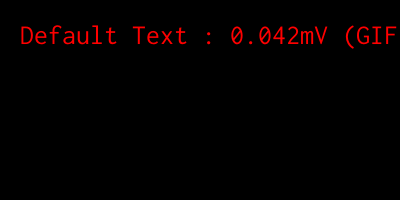
[16]:
db.read('volts')
[16]:
0.042
[17]:
db.read('myarray')
[17]:
array([[ 4.1  ,  8.2  , 12.874],
       [16.4  , 20.5  , 24.6  ]])
[18]:
x = db.read('JPG')
[19]:
x
[19]:
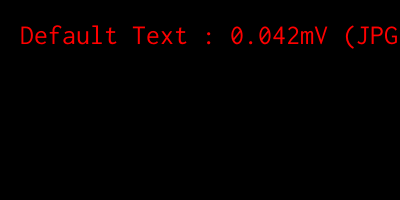
[20]:
hublogo = db.read('nanohub', display=True)

[21]:
print(type(hublogo))
hublogo
<class 'PIL.PngImagePlugin.PngImageFile'>
[21]:

Extras
[22]:
# cell execution stats
db.nb.papermill_metrics
[22]:
| filename | cell | value | type | |
|---|---|---|---|---|
| 1 | test_simtool.ipynb | Out [1] | 0.094494 | time (s) |
| 2 | test_simtool.ipynb | Out [2] | 1.566780 | time (s) |
| 3 | test_simtool.ipynb | Out [3] | 0.040027 | time (s) |
| 4 | test_simtool.ipynb | Out [4] | 0.028735 | time (s) |
| 5 | test_simtool.ipynb | Out [5] | 0.024229 | time (s) |
| 6 | test_simtool.ipynb | Out [6] | 0.024201 | time (s) |
| 8 | test_simtool.ipynb | Out [7] | 0.028581 | time (s) |
| 9 | test_simtool.ipynb | Out [8] | 0.028060 | time (s) |
| 10 | test_simtool.ipynb | Out [9] | 0.034803 | time (s) |
| 11 | test_simtool.ipynb | Out [10] | 0.050152 | time (s) |
| 12 | test_simtool.ipynb | Out [11] | 0.049309 | time (s) |
| 13 | test_simtool.ipynb | Out [12] | 0.042535 | time (s) |
| 14 | test_simtool.ipynb | Out [13] | 0.040564 | time (s) |
[23]:
# notebook metadata
r.db.nb.metadata
[23]:
{'celltoolbar': 'Tags',
 'kernelspec': {'display_name': 'Python 3',
  'language': 'python',
  'name': 'python3'},
 'language_info': {'codemirror_mode': {'name': 'ipython', 'version': 3},
  'file_extension': '.py',
  'mimetype': 'text/x-python',
  'name': 'python',
  'nbconvert_exporter': 'python',
  'pygments_lexer': 'ipython3',
  'version': '3.7.3'},
 'papermill': {'duration': 3.483673,
  'end_time': '2019-08-12T16:47:20.620499',
  'environment_variables': {},
  'exception': None,
  'input_path': '/apps/simtools/test_simtool/test_simtool.ipynb',
  'output_path': 'RUNS/98fdf2bb7493416f9910ece071a03662/test_simtool.ipynb',
  'parameters': {'height': 200,
   'myarray': [[1.0, 2.0, 3.14], [4.0, 5.0, 6.0]],
   'options': {'Background': 'black', 'FontColor': 'red', 'FontSize': 28},
   'position': [20, 20],
   'some_text': 'Default Text',
   'volts': 0.042,
   'width': 400},
  'start_time': '2019-08-12T16:47:17.136826',
  'version': '1.0.1'}}
[24]:
# for debugging, the inputs as passed to papermill
r.input_dict
[24]:
{'some_text': 'Default Text',
 'volts': 0.042,
 'width': 400,
 'height': 200,
 'position': [20, 20],
 'options': {'FontSize': 28, 'FontColor': 'red', 'Background': 'black'},
 'myarray': [[1.0, 2.0, 3.14], [4.0, 5.0, 6.0]]}